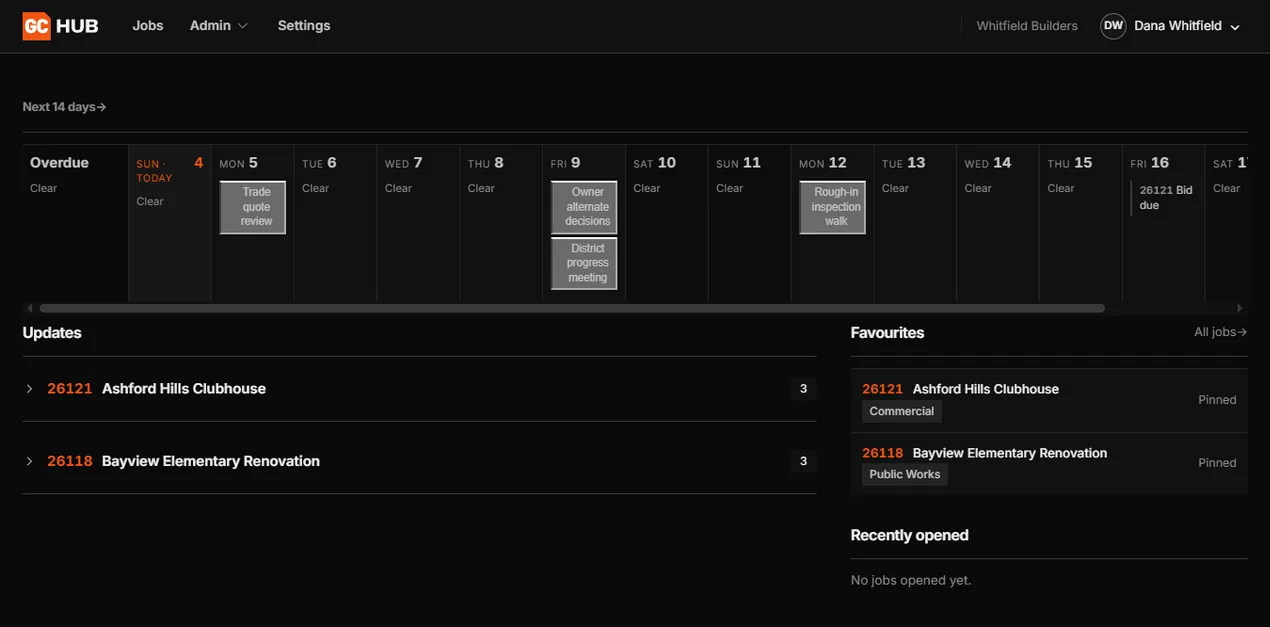
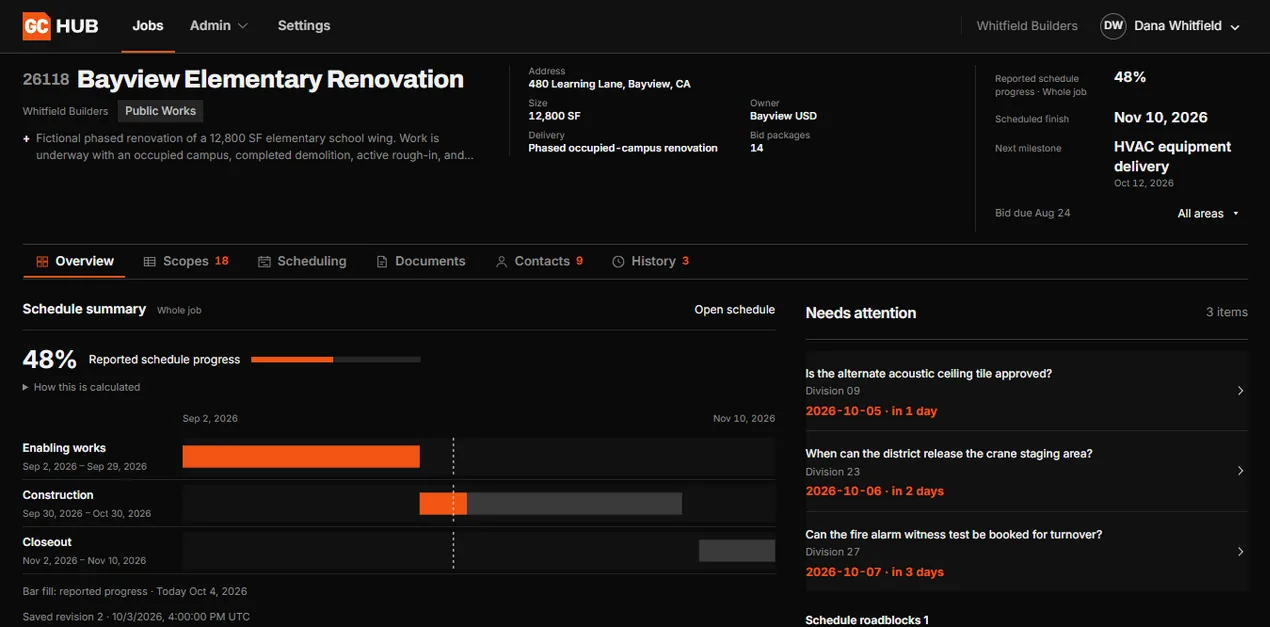
Welcome to GC Hub

Every job, every delivered workbook and every invoice in one web app.It integrates with your email, so your team can work from either.

Explore the demo

Live in your inbox. Or don’t.

Email GC Total the way you would email anyone on your team.Each message is read and filed to the right job in GC Hub, already sorted.Rather click than type?Open the job in the Hub instead.

Inbox3 newGCHUB26118 · Bayview ElementaryOverviewDocumentsBidsRFIsGCREADTAGGEDFILEDHartwell Architects9:41Addendum 03 – revised door schedulePDFAddendum_03.pdfDOCUMENTSAddendum 03Revised door schedule · 4 sheetsFILEDAcme Electric10:12Bid: Division 26 ElectricalPDFAcme_Div26_Bid.pdfBIDSDiv 26 ElectricalAcme Electric · bid levelingLEVELEDBayview USD10:30RE: RFI 014 door hardwareRFISRFI 014Owner answer · door hardwareANSWERED Inbox3 newGCHUB26118 · Bayview ElementaryOverviewDocumentsBidsRFIsGCREADTAGGEDFILEDHartwell Architects9:41Addendum 03 – revised door schedulePDFAddendum_03.pdfDOCUMENTSAddendum 03Revised door schedule · 4 sheetsFILEDAcme Electric10:12Bid: Division 26 ElectricalPDFAcme_Div26_Bid.pdfBIDSDiv 26 ElectricalAcme Electric · bid levelingLEVELEDBayview USD10:30RE: RFI 014 door hardwareRFISRFI 014Owner answer · door hardwareANSWERED

Your whole job, one screen away.

Pick a tool to see what it does.

Bidding
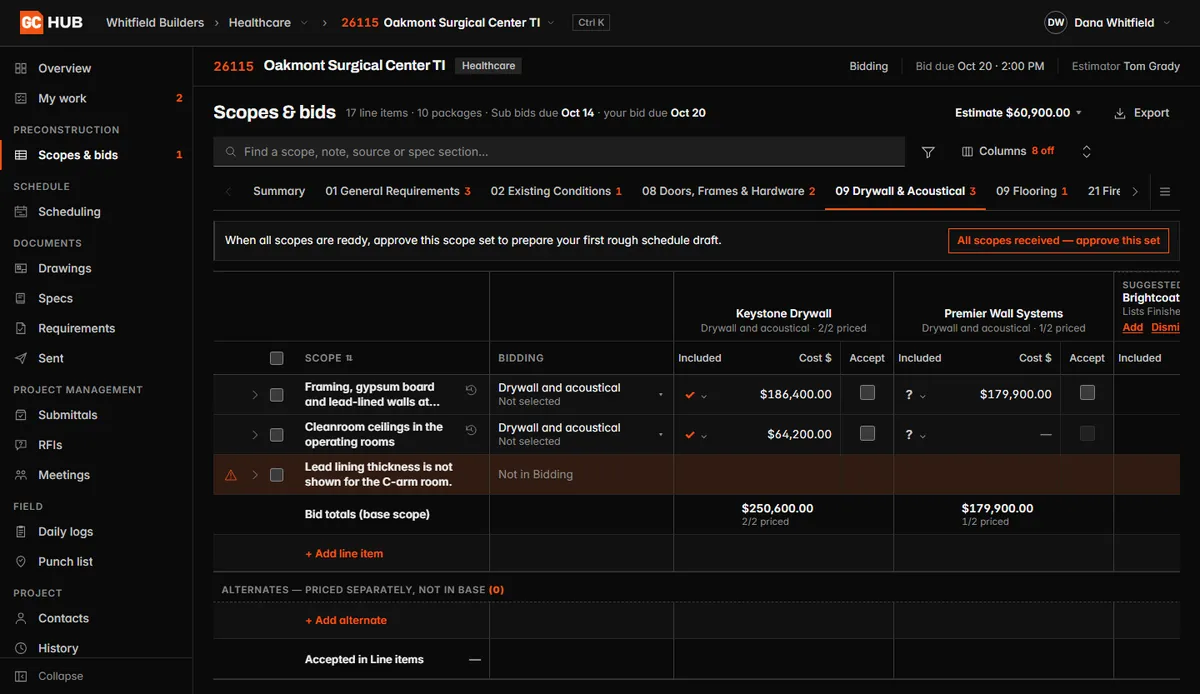
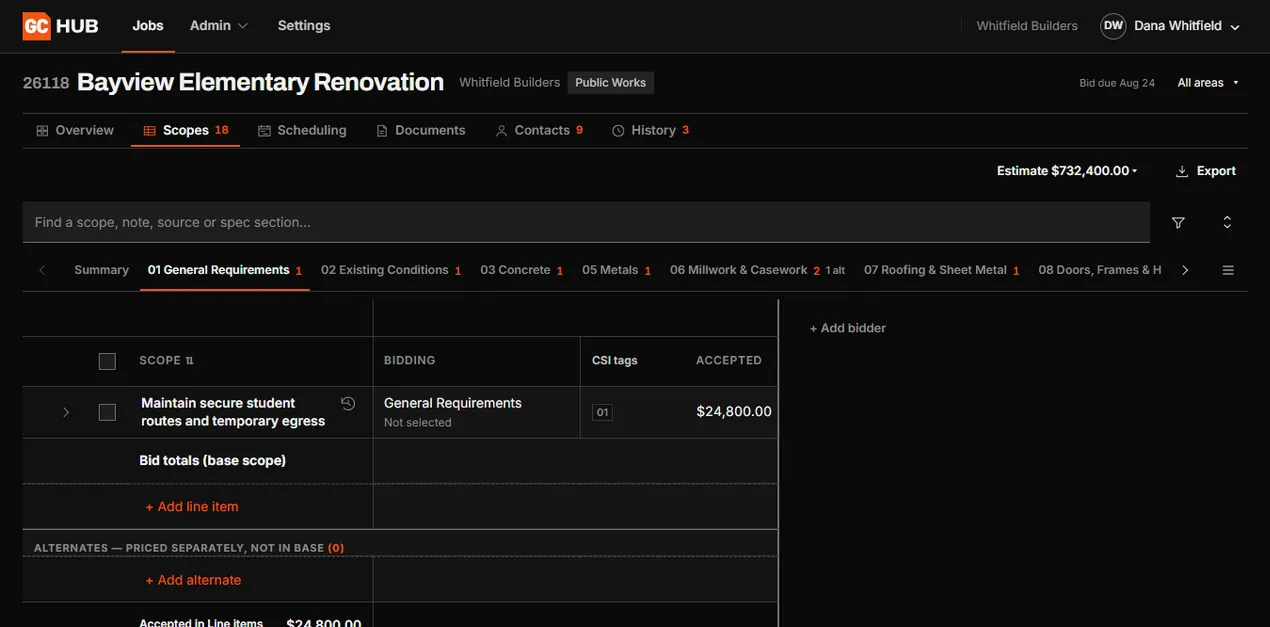
Scopes and bids in GC Hub: two drywall bids side by side, with one scope line flagged because the drawings do not show it.

Scope lines by division with each bidder's price side by side, and questions the drawings leave open flagged for review before you award.

Submittals
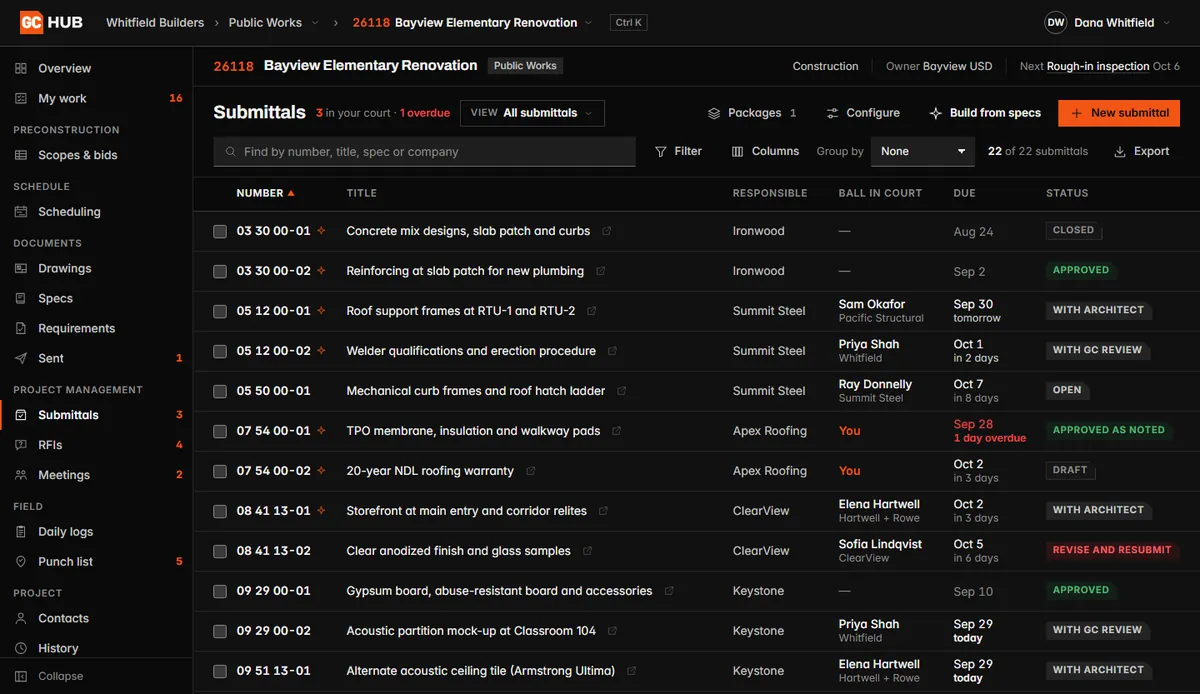
The submittal log in GC Hub: each submittal with its company, who holds it and its status.

Submittals with their spec section, who holds each one now and when it is due, from draft to approval.

RFIs
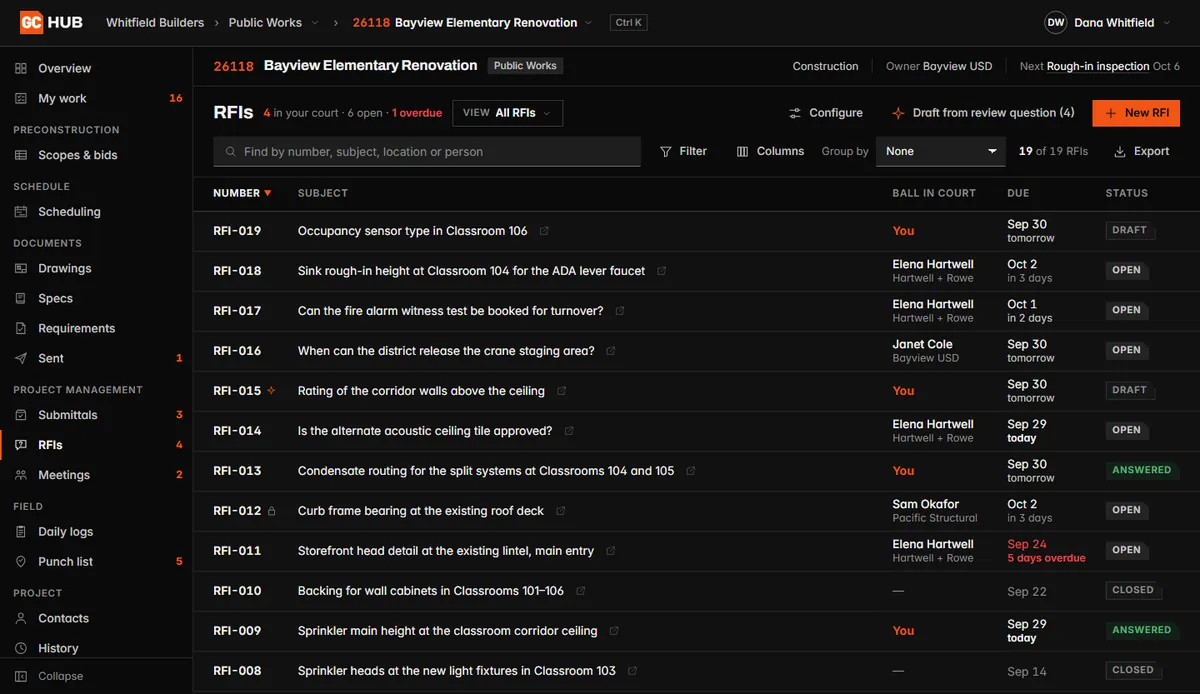
The RFI log in GC Hub: each question with who holds it, when it is due and its status.

RFIs with who owes the answer and when it is due, from draft to closed.

Drawings
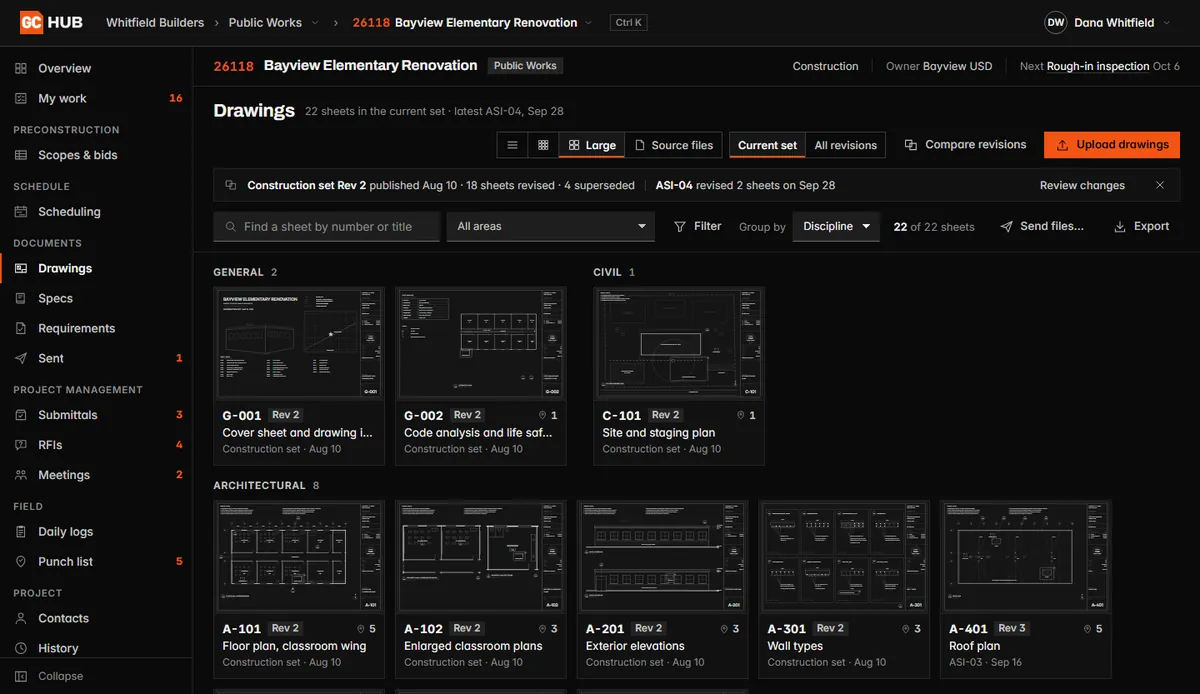
Drawings in GC Hub: the current set as sheet thumbnails grouped by discipline.

The current drawing set, sheet by sheet and grouped by discipline, with earlier revisions kept so you can compare them.

Schedule
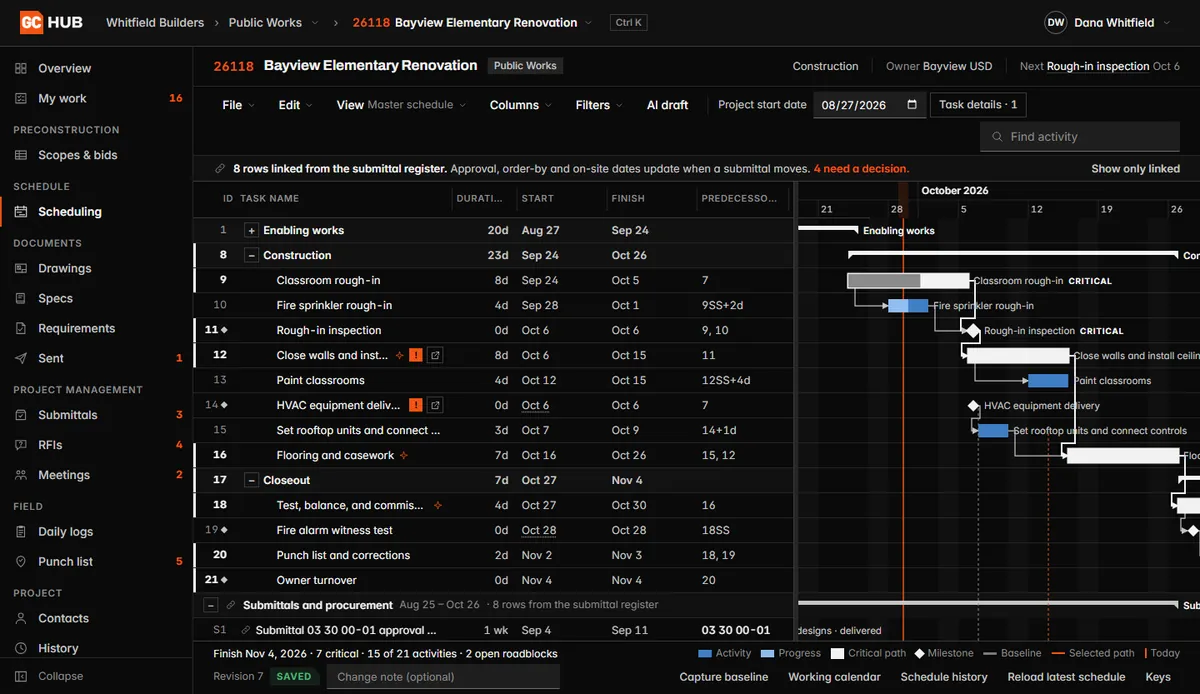
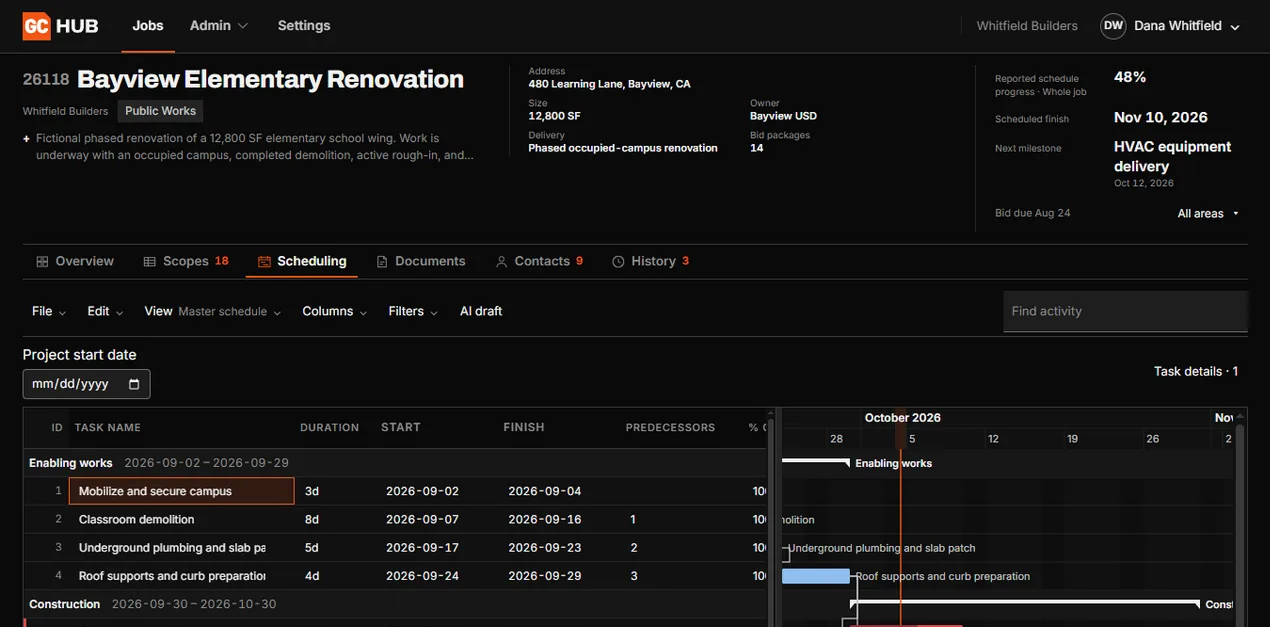
The schedule in GC Hub: tasks and a Gantt chart with the critical path marked.

The schedule as a Gantt chart with the critical path marked, linked to the submittals the work is waiting on.

Document sharing
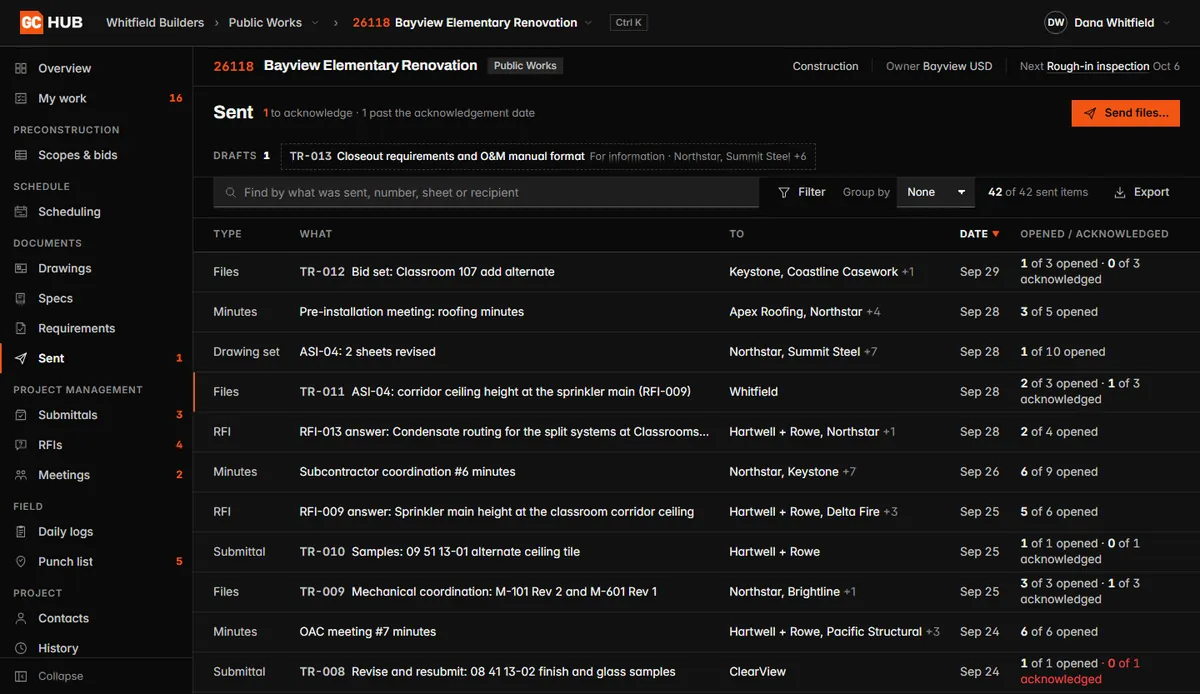
Sent items in GC Hub: each transmittal with its recipients and how many have opened it.

Files, drawing sets and answers you send, with who they went to and who has opened them.

Daily logs
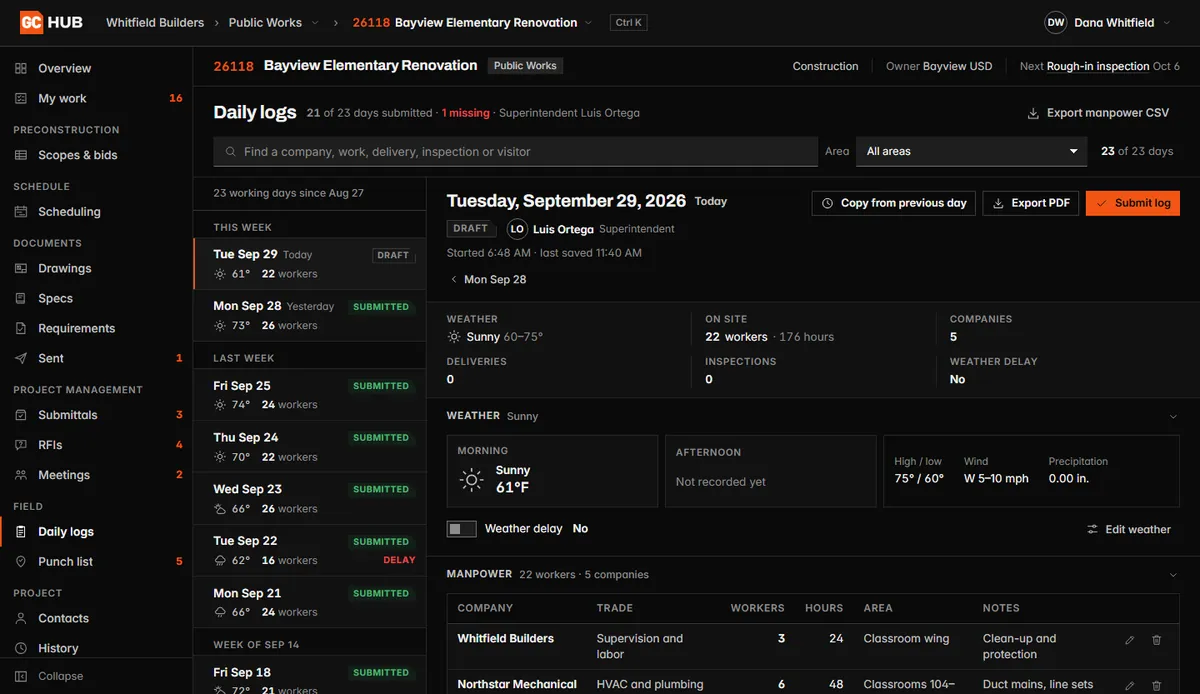
A daily log in GC Hub: the day's weather, workers on site and crews by company.

Weather, crews, deliveries and inspections for each day on site, filed by the superintendent.

Punch list
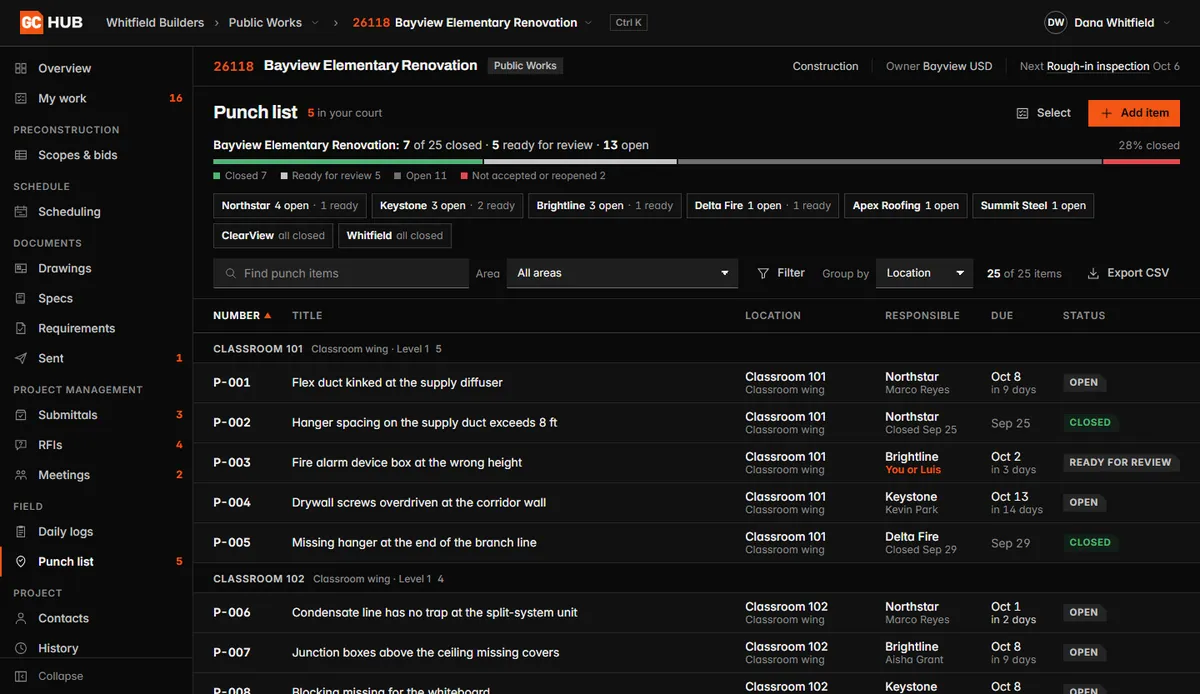
The punch list in GC Hub: items by room with the responsible trade, due date and status.

Punch items by location with the trade responsible and the due date, each open until it is verified closed.

Need more? We build it in.

GC Hub covers the work we already do for you.Anything your company does differently, we can build in.

COST TO DATE03050922232609 OVER

Your numbers, your way

Dashboards built around the figures you actually watch.

MODEL · 3D VIEWLEVEL 2ABCD123L2

The job in 3D

A model view of the work, when seeing it helps.

SUPPLIER ORDERS · SYNCEDPrecast panelsSHIPS 10/14Rebar, level 3DELIVEREDCurtain wallSHOP DWGSRTU-1SHIPS 11/02

Your vendors, connected

Order and delivery status from the people you buy from.

See Custom Automations

Start using it now

Start with whichever service matches the work you want off your desk.

Early access

Join the wait list

Tell us who you are. We will contact you when GC Total is ready for your team.

We use these details to manage early access. Read our Privacy Policy.